
Change the Product Page Layout
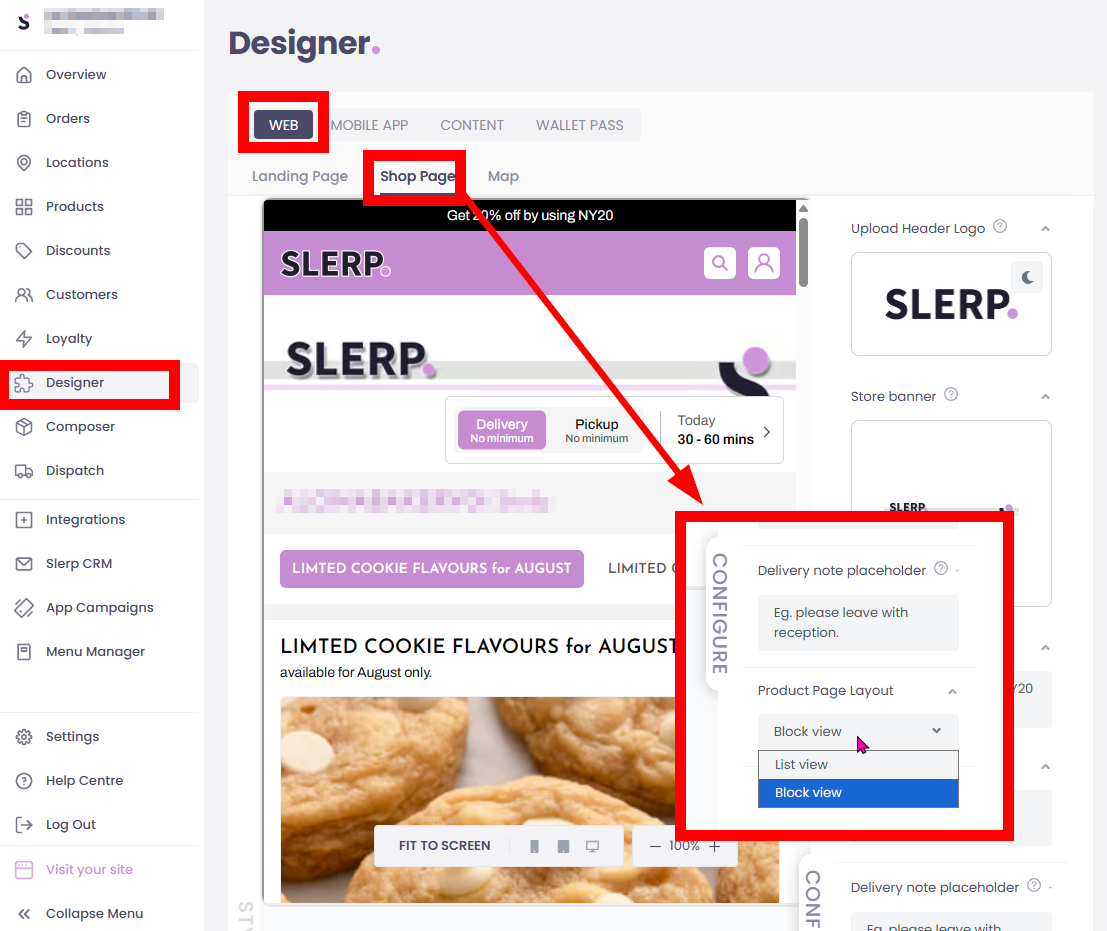
- Log in to Controls.
- Go to Designer.
- Select Web.
- Open the Shop page.
- On the right-hand side, find Product Page Layout.
- Open the dropdown menu.
- Select your preferred layout:
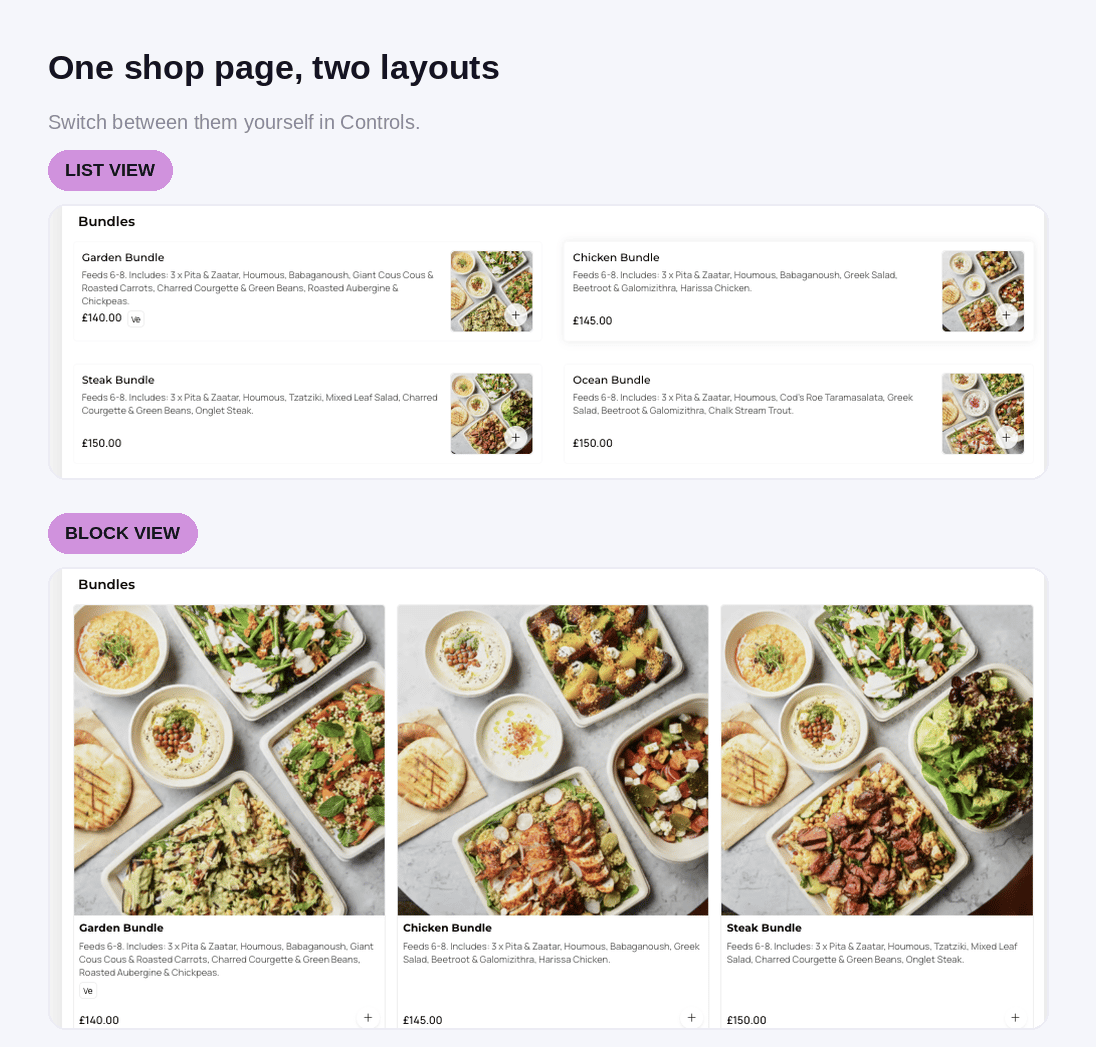
- List View — displays products in a compact, list-style layout with the product image, details and price visible.
- Block View — displays products in larger visual blocks, giving product images more prominence.
- System auto-saves this change.
Live Example
🗒️ Choosing a layout
- Choose List View when you want customers to scan product information quickly.
- Choose Block View when you want product imagery to be the main focus of the Shop page.