We recommend that an owner or authorised decision-maker in your business reviews these terms carefully and shares them with your legal or compliance team if needed.
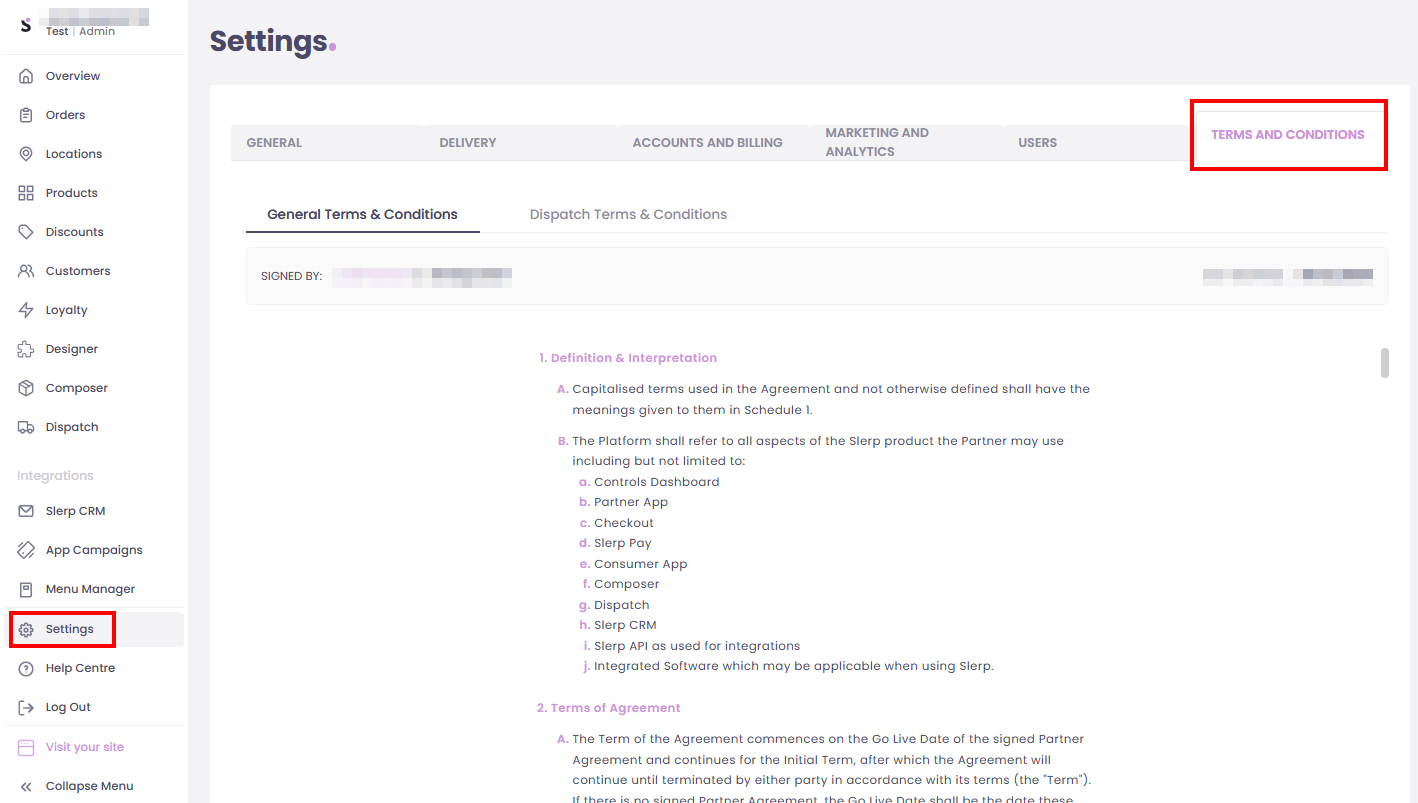
How to access the Terms & Conditions?
1. Log in as Admin to Controls.
2. Go to Settings in the bottom left-hand menu bar.
3. Click on the Terms and Conditions tab.
From here, you can view the latest version of Slerp’s terms and conditions that apply to your account.
You may also access this Quick Link ⚡Terms and Conditions