
For full UK guidance, see the FSA:
https://www.food.gov.uk/business-guidance/introduction-to-allergen-labelling-changes-ppds
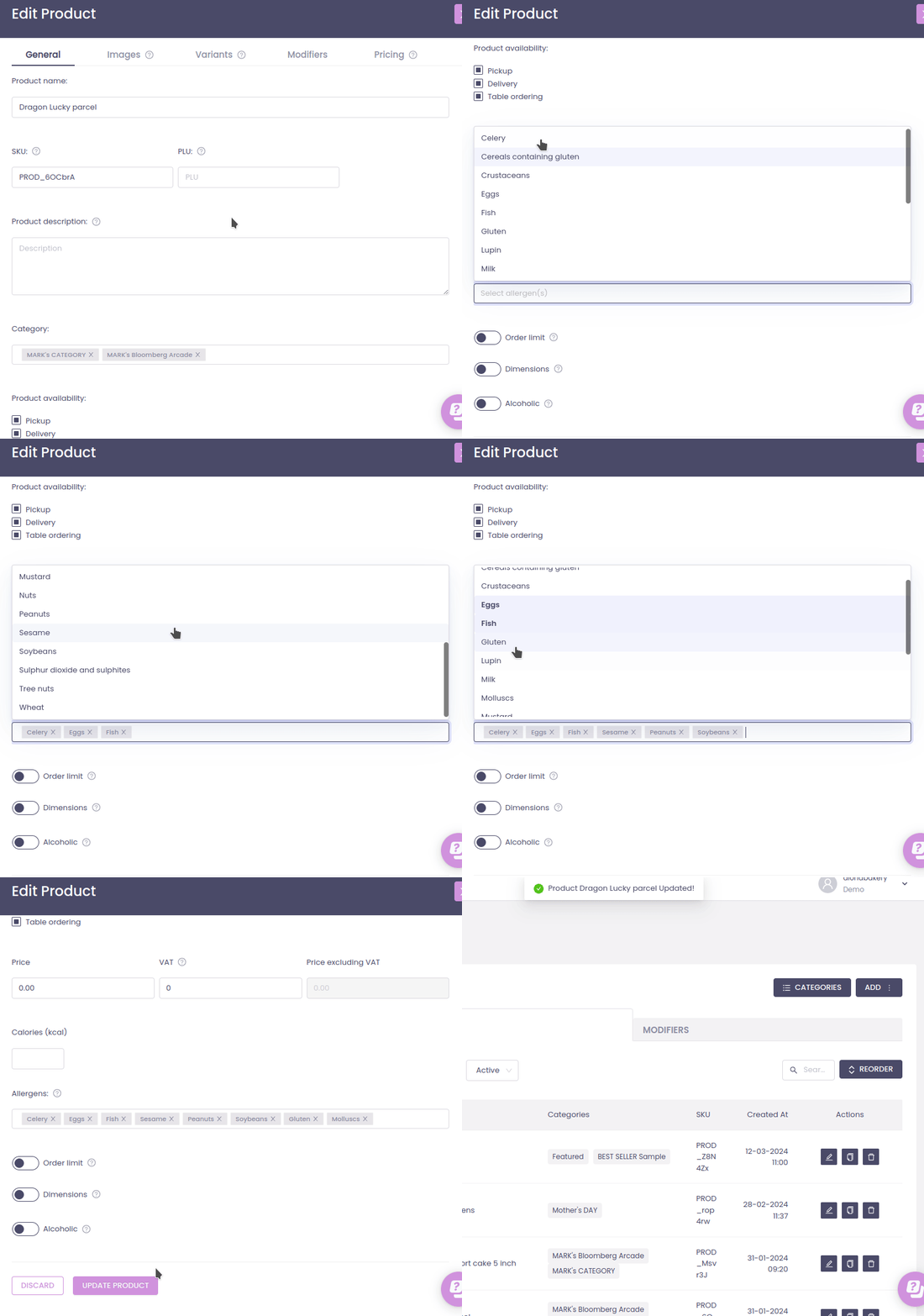
A. Add allergen tags to a product
- Either:
- Click Add product (for a new item), or
- Click an existing product to Edit.
- Find the Allergens field.
- Select all allergens that apply from the dropdown (e.g. Gluten, Nuts, Milk).
- Click Add product or Update product to save.
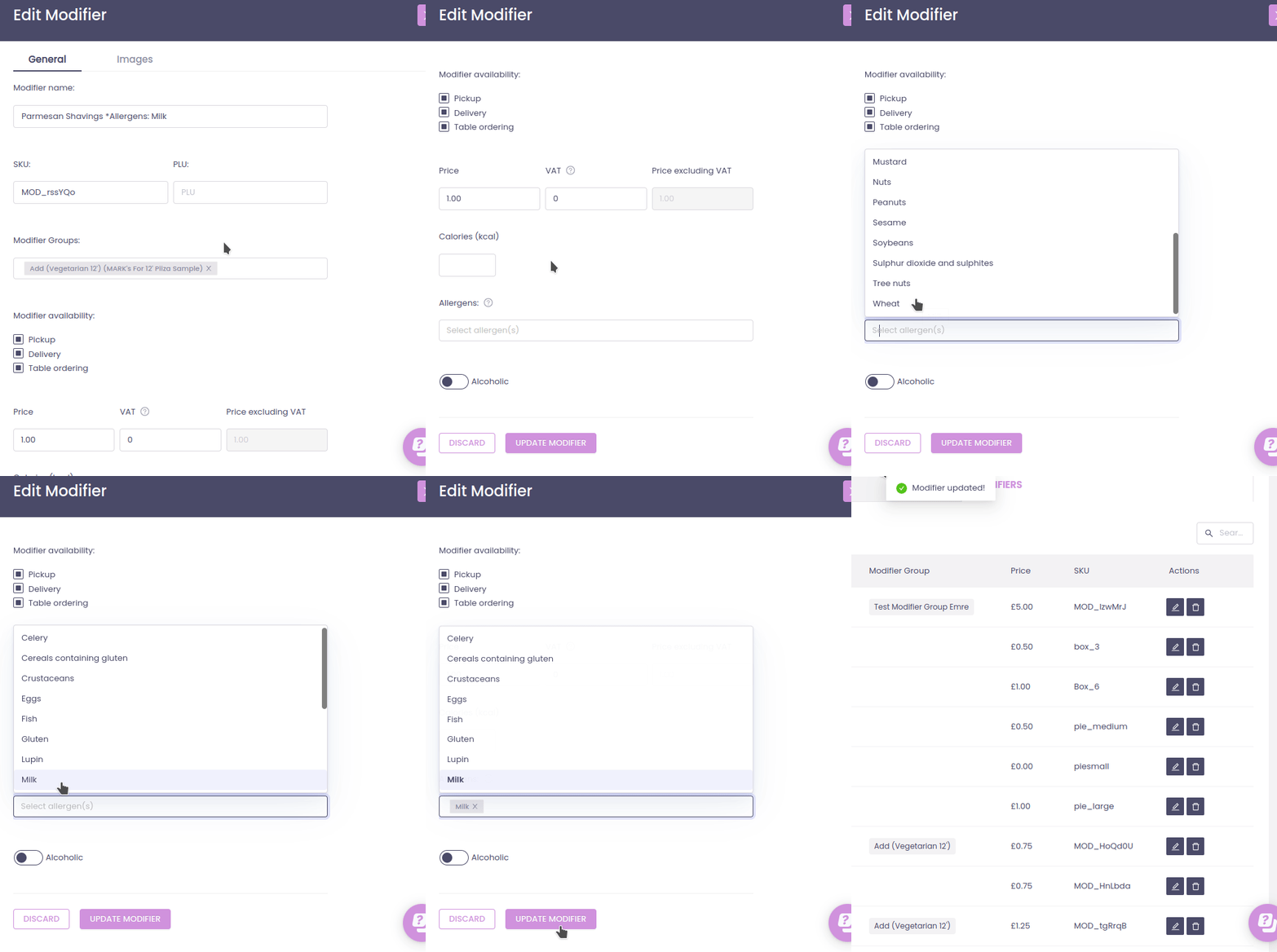
B. Add allergen tags to a modifier
- Click the Modifiers tab.
- Either:
- Click Add (for a new modifier), or
- Click an existing modifier to edit.
- In the Allergens field, select all allergens that apply to that modifier.
- Click Add modifier or Update modifier to save.
C. Make allergens searchable and easy to spot
- Use clear naming that includes allergens or dietary info where relevant:
- Chorizo & Chicken Paella (Gluten Free)
- Vegan Chocolate Brownie (Contains Nuts)
- Enable the Product Search bar so customers can search terms like vegan, nuts, or gluten.
- The search checks product/category names and descriptions, helping customers find or avoid specific allergens.