
Overview
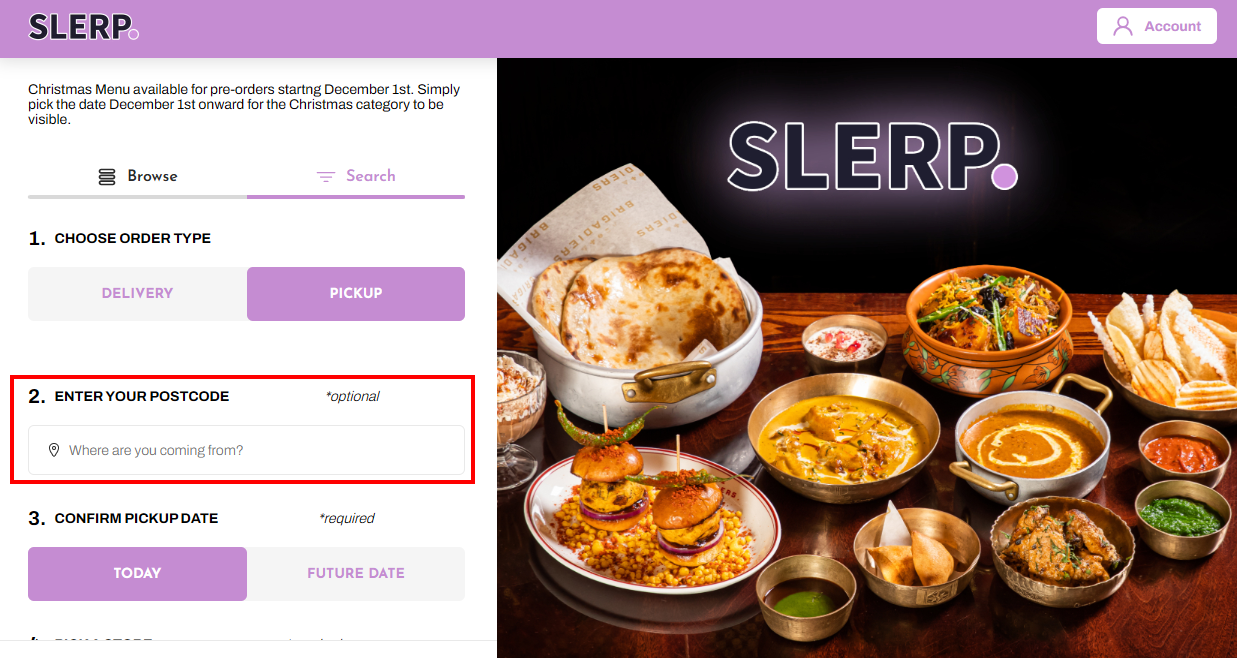
By default, when customers choose Pickup / Click & Collect, they see:
- A search address field so they can find the nearest store
When should I keep the search field?
We recommend keeping the search address field if:
- You have multiple locations and want customers to find the nearest store quickly.
- You serve customers across a wide area where store choice matters.
Removing the field is mainly useful for:
- Single‑location brands
- Very small location groups where store choice is obvious
How to hide the pickup search address field
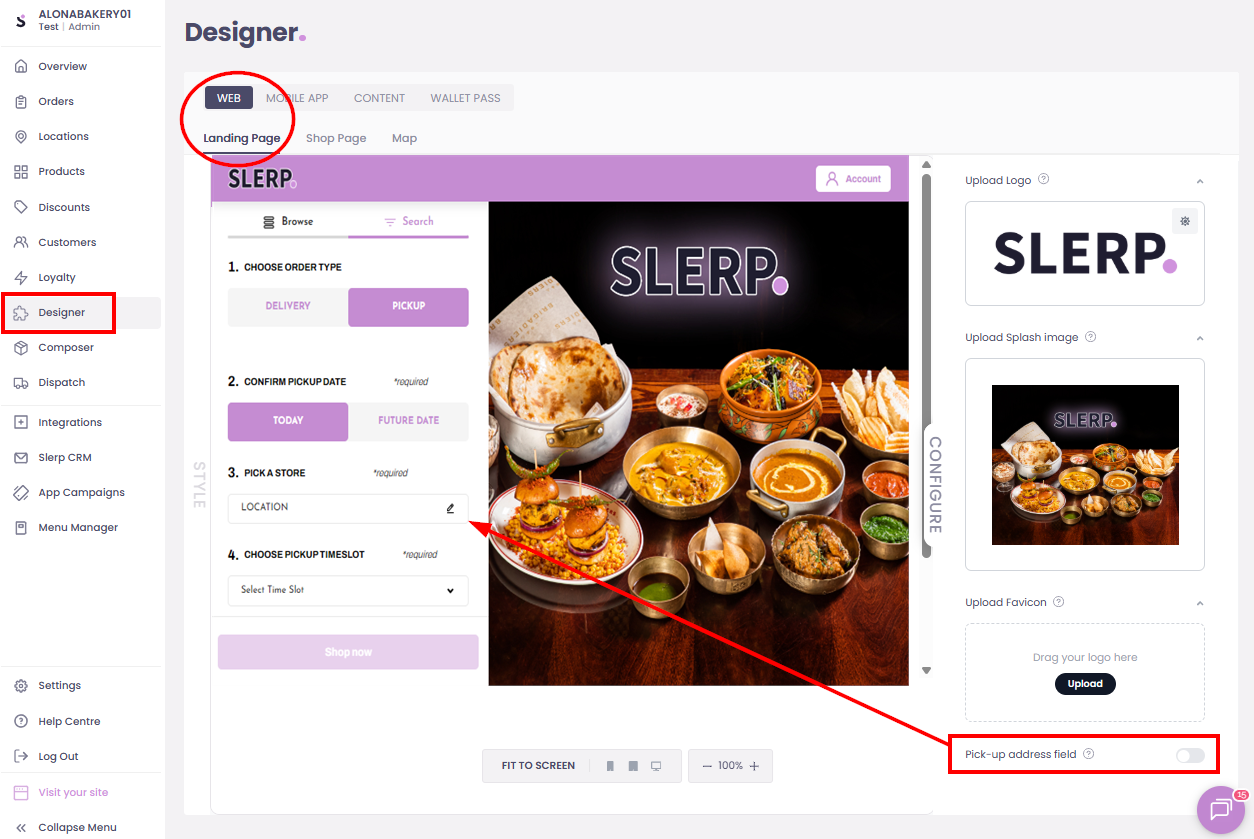
- Log in to your Slerp Controls Dashboard.
- In the left‑hand navigation, click Designer.
- Make sure the Landing page is selected (this controls the main homepage your customers see).
- Click Configure.
- Look for the toggle called Pick‑up address field.
- Toggle on/off this to show/hide the search field.
- Changes are automatically saved.
Now, when a customer chooses Pickup / Click & Collect, they will see only the list of stores (no address search box).
How this change affects customers
After you hide the search field:
- Customers will choose a store directly from the list.
- They won’t be able to search by postcode or address on the pickup screen.
- This keeps the experience very simple, which can be ideal for single‑site venues.
If you later add more locations and want to bring back the search tool, just repeat the steps and tick the Pick‑up address field again.