
Our latest printer improvements are available from Partner App 2.9.107.
Printer compatibility
The Slerp Partner App is compatible with a wide range of printers and now supports printer setup through WiFi, Ethernet, and Bluetooth.
Our recommended, tested bluetooth devices are:
Munbyn 047PUSEB MFI Bluetooth
Munbyn ITPP047P Bluetooth Thermal
Star MC-Print3 MCP31LB Bluetooth Thermal
Star TSP100 (TSP143IIIBI) Bluetooth Thermal
Jolimark TP510 Bluetooth Thermal
WiFi and Ethernet has been tested with:
Star
Munbyn
Other printers may still work, but we recommend using a tested model where possible.
Where to set up your printer
In the Slerp Partner App, go to:
Settings → Devices
From there, select your printer and complete setup based on your connection type.
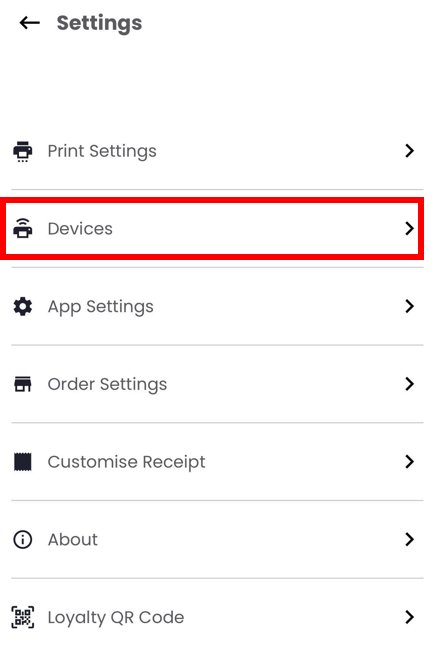
For detailed instructions, click here.
Note: Other bluetooth thermal printers may still connect to the Slerp Partner App and may work, however, ongoing compatability cannot be guaranteed.
It is recommended to use one of the supported models.
Important
- On iOS, the update is available now.
- On Android, the update is rolling out in stages over the coming days.