
What is a Wallet Pass?
Wallet passes are representations of your Slerp Loyalty programme in your customer's device wallet. They are an easy way for a customer to access their personal QR code, that can be used to earn or redeem loyalty in store.
How do I set up my Wallet Pass?
You can easily enable your own branded wallet pass in three steps:
-
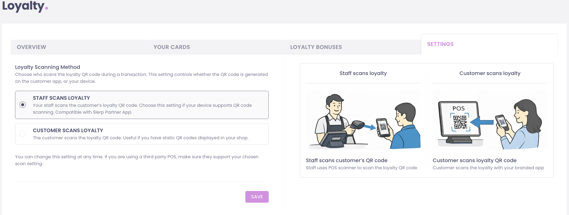
Make sure that your loyalty settings are set to `Staff scans loyalty`. You can find this under your loyalty settings here
- Navigate to the Wallet Pass section of Designer, and customise the look of your pass
- You can choose to import your Slerp branding by clicking `Import Defaults`. This will use your primary colour and shop image on the card
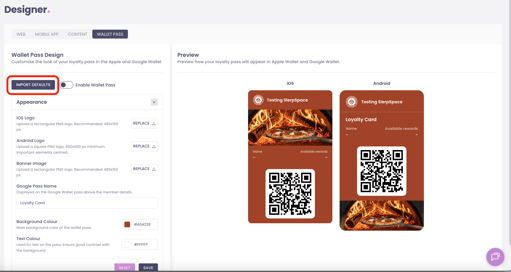
- Toggle the `Enable Wallet Pass` and you are all set!
Once enabled, your logged in customers will see an option to add your loyalty card to their wallet. This option appears on the app home and loyalty page, and on the mobile web checkout page.
PS: Want to promote your wallet pass in store? Check out our how-to guide here