
Overview
Using the Slerp Order Manager, you can push one or two menus to Slerp per location.
How Slerp assigns those menus to your same-day and pre-order inventory depends on whether you have prefixed any of your menus with [SLERP_PREORDER].
For more information about how to configure pre-orders see the article about pre-orders.
How Slerp assigns menus
Slerp supports one menu per fulfilment type. This means you can have one menu for same-day ordering and one menu for pre-order ordering, but not multiple menus for the same fulfilment type.
The following rules apply when Slerp receives your menus from the Order Manager:
- If none of your menus have the [SLERP_PREORDER] prefix, Slerp will use your single menu for both same-day and pre-order ordering.
- If you want a separate pre-order menu, prefix the menu name with [SLERP_PREORDER] and it will be used as your pre-order inventory.
- If only a menu prefixed with [SLERP_PREORDER] exists and there is no same-day menu, it will be used for pre-order ordering only.
Same-day and Pre-order example
Slerp will push the "Same-day menu" to the same-day inventory and the "[SLERP_PREORDER] Catering menu" to the pre-order inventory.
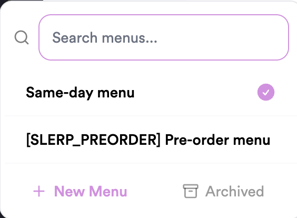
Same-day only example
The "Online menu" will be pushed to same-day and pre-order inventories.
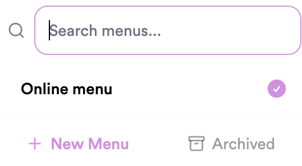
Configuring Opening Hours
In the Order Manager, you must assign a schedule to each menu. How that schedule is applied in Slerp depends on your menu configuration:
Single menu (same-day or pre-order only) The menu schedule is used to set the opening hours of the store you are pushing to in Slerp.
Two menus (same-day and pre-order) The same-day menu schedule sets the store's opening hours. The pre-order menu schedule is applied separately using Slerp's custom hours feature, and will be configured for both delivery and pickup pre-order settings.