
What is product prep time
Product prep time is a setting on a product level on your same-day inventory. It allows you to set a preparation time for specific products that is longer than your store's overall preparation time. This allows you full flexibility to offer your whole inventory for same day, without unnecessarily increasing prep time for your whole store
How do i set a prep time on a product
Simply go to your product list in Controls, and find your products that need additional time to prepare. On general settings tab of the product, scroll to the `Prep Time` field and specify how much lead time you need for this product.
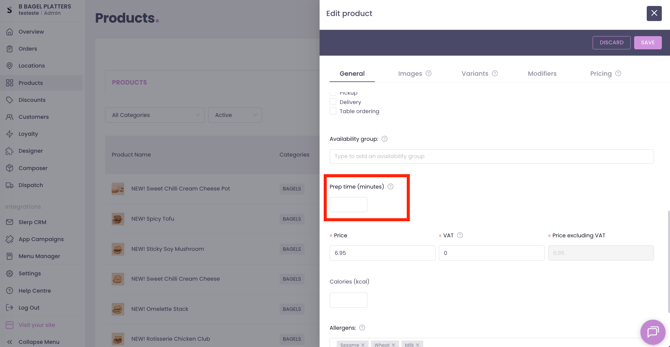
Once saved, it will automatically be applied to all your same-day inventory. On app and web ordering, customers will see when a product will become available if a prep time is set.
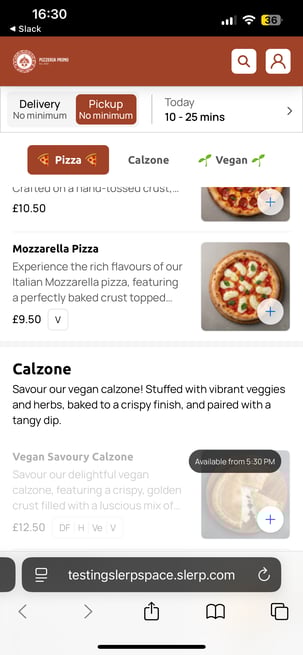
Remember, this impacts your same-day availability for a product, not pre-order availability.
If you are looking to adjust your pre-order availability, you can do this via the following features:
- Store-level cut-off times (applies to all the inventory within a store)
- Category-level cut-off times (applies to select categories only)