
How it works
- You set:
- A Regular delivery zone (the usual area you deliver to).
- A smaller, Busy delivery zone (used only when you set Activity Mode to Busy).
- When Activity Mode is:
- Quiet – Slerp uses your Regular delivery zone.
- Moderate – Slerp uses your Regular delivery zone.
- Busy – Slerp uses your Busy delivery zone.
This helps you:
- Reduce long‑distance deliveries when prep times are slower.
- Keep delivery times reasonable for customers.
- Protect your reviews and reduce complaints during peak times.
When your Activity Mode is set to Busy, Slerp will use your Busy Delivery Zone instead of your regular one.
Step 1 – Open Same‑day delivery settings
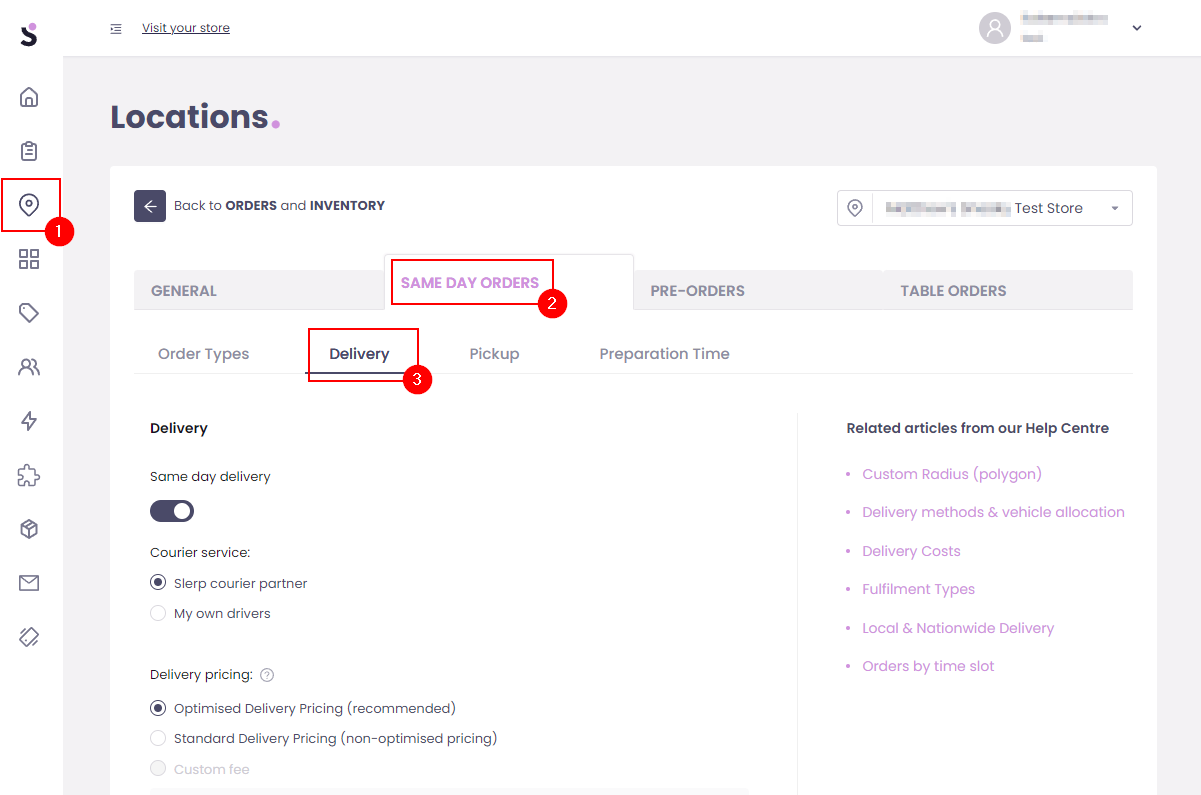
- Log in to Controls Dashboard.
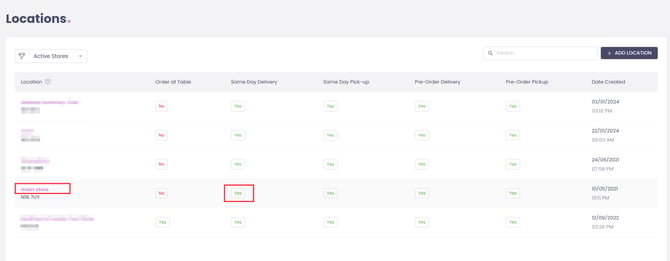
- Click Locations in the left‑hand menu.
- Click the location name you want to edit.
- Click the Settings button in the top‑right.
- Go to Same‑day orders → Delivery.
 Step 2 – Enable the Busy delivery zone
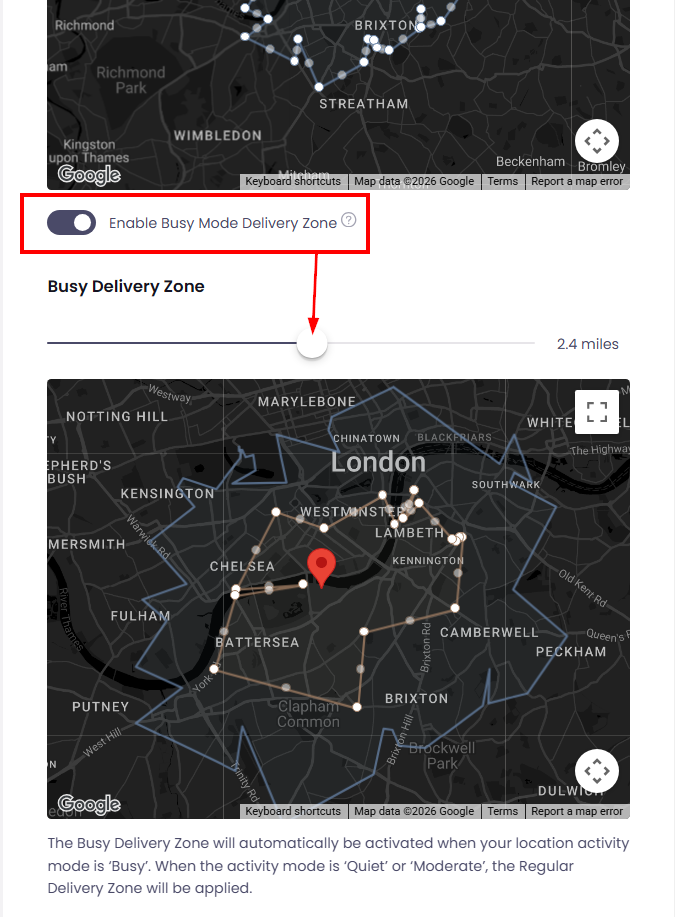
- Scroll down to the Delivery zone section.
- Turn on the Busy delivery zone toggle.
- A second slider and map area will appear, showing:
- Your regular delivery zone (blue lines).
- Your Busy (yellow lines) delivery zone.
Step 3 – Adjust the Busy delivery zone
Depending on your configuration you can:
- Use a smaller radius:
- Drag the Busy slider to a shorter distance than your normal radius.
- Use a smaller custom area:
- Adjust the Busy area on the map so it covers only the closest streets or postcodes you want to keep serving when you’re busy.
Keep this noticeably smaller than your normal area, so drivers don’t have to travel too far when your kitchen is under pressure.
Click Save when you’re done.
Step 4 – Use Activity Mode to switch zones
When your restaurant gets busy:
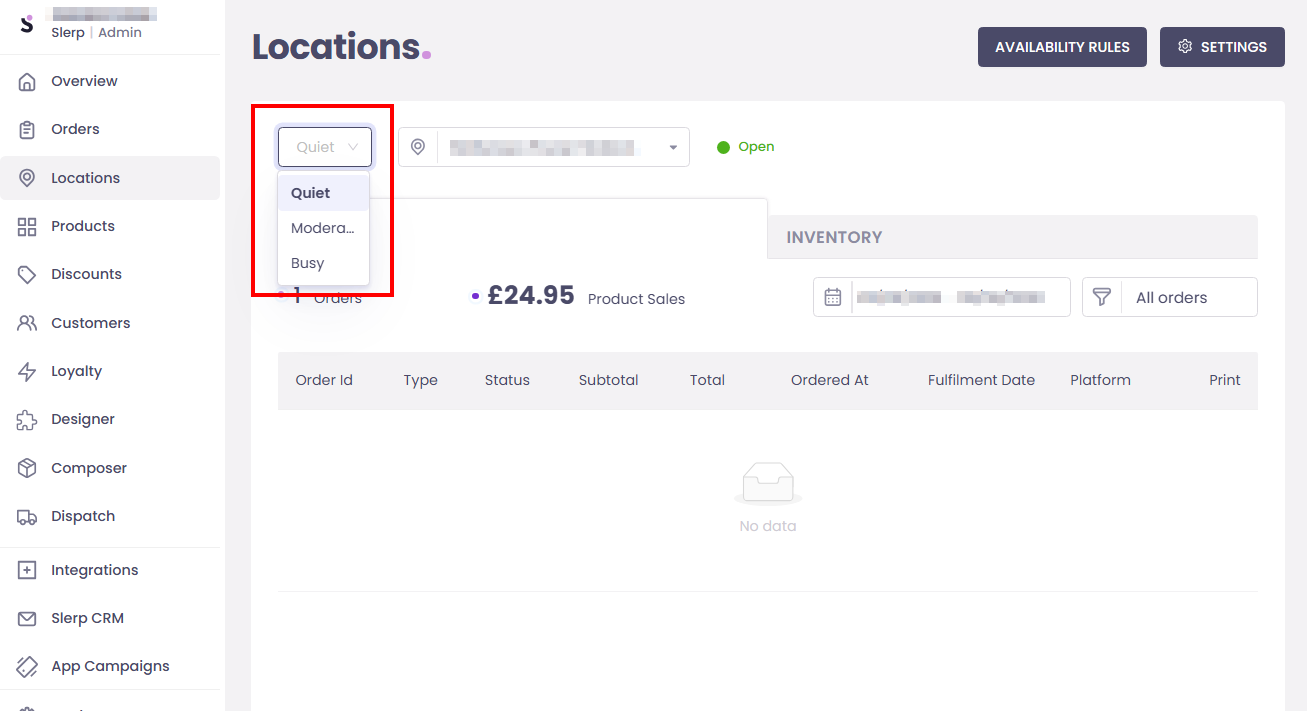
- Set your Activity Mode to Busy on your Slerp App or Controls.
- While Activity Mode is Busy, Slerp automatically uses your Busy delivery zone.
- When things calm down, switch Activity Mode back to Moderate or Quiet and your regular delivery zone will be used again.
When to use a Busy delivery zone
- During lunch rush or evening peak.
- On weekends or special events when order volume is high.
- When you’re working with a limited number of drivers.
This helps you protect service quality without fully turning delivery off.