
Pre‑orders are ideal for:
- Next‑day and special‑occasion items (e.g. whole cakes, celebration platters)
- Larger or more complex orders that need extra prep time
- Managing kitchen and production capacity in a controlled way
When enabled, you can customise the inventory, time-slots, and cut‑off so that customers only see the products, dates, and times you can realistically fulfill when they order in advance.
How to set-up Pre‑Orders?
All pre‑order setting lives at location level.
Log in to Controls → Locations → Select the location to edit → Settings → Pre-orders tab from here you can customise to what works best for you.
What are the Pre‑orders Customisable options?
Cut‑off Times
Pre‑orders require a cut‑off so that you have enough lead time to prep orders before a chosen slot.
In the Cut‑off section of the same pre‑order settings:
- Choose how you want to control lead time, for example:
- X day before at 23:45
- By a fixed time on the previous day (e.g. by 15:00 the day before)
- Enter the value that reflects your operation (e.g. 24 hours, or 15:00 previous day).
- Save.
Once set, the system will automatically hide or block any slots that no longer meet the cut‑off, so customers can only choose times you can genuinely fulfill.
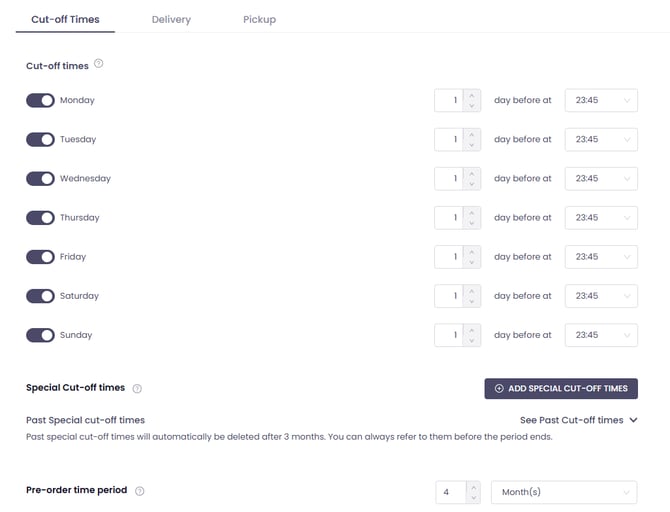
Pre-order time period, is for how far in advance a customer can order. Setting it to 1 month means that customers cannot place a pre-order 1 month after the present date.
You can set the time intervals by:
- Day
- Week
- Month
- Year
Enable Pre‑orders
- Collection (Pickup)
- Delivery
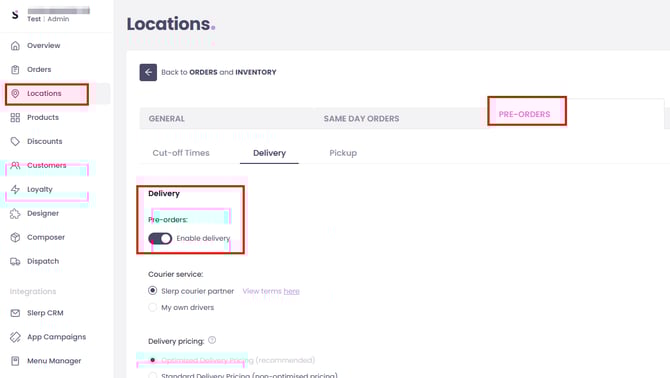
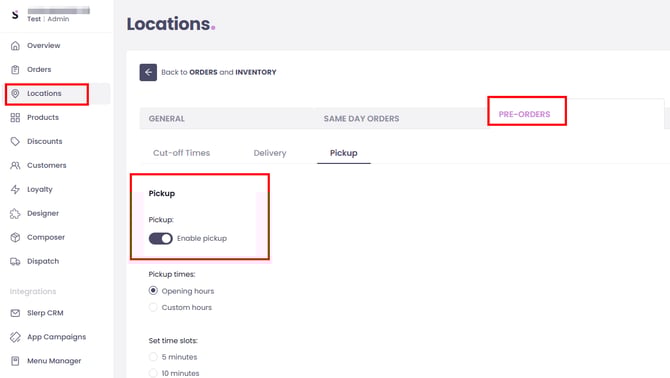
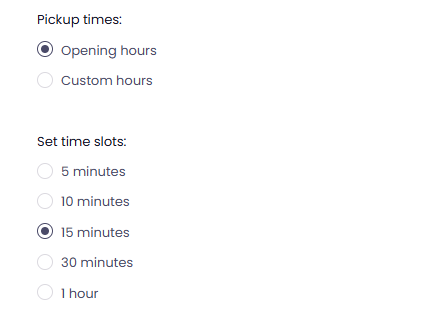
From each tab, Delivery or Pickup, you may configure time-slots.
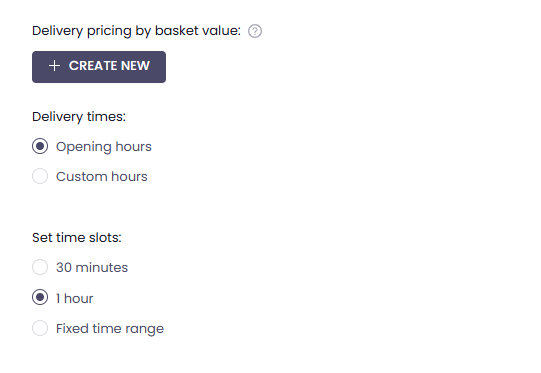
30 minutes, 1 hour, or fixed time range for delivery. You may also choose to set custom hours, if you don't want the pre-orders to be coming during your regular opening hours. Pickup/Click&Collect has more time slots.
From each tab you can also set Order limit by time slot, both delivery and pickup has their own order limit by time slot setting, once toggled on, you can set a maximum number of pre‑orders per slot (e.g. 5 orders per 30‑minute slot). As soon as a slot hits its limit, the system will stop offering it at checkout, automatically pushing new customers to other available time slot.
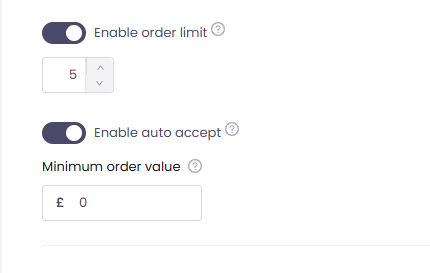
Other customisable functions here are:
- Enabling [Auto Accept], which will automatically mark pre‑orders as accepted the moment they are placed.
- Set a minimum order value, ensuring that pre‑orders meet your required spend threshold before they can be placed. This helps protect your margins on larger or more complex orders and keeps your pre‑order operation commercially viable.
By configuring pre‑orders, time slots, cut‑off times, and (optionally) slot limits together in one flow, you can run a reliable advance‑order operation that protects your team’s capacity while giving customers clear, convenient options for future collection or delivery.