
What is Nationwide Delivery?
Nationwide delivery lets you send orders to customers across the UK, not just within a few miles of your sites.
You’ll usually work with a third‑party logistics (3PL) courier such as DPD, Royal Mail, UPS, etc. Slerp does not deliver these orders directly — we help you organise them and pass them to your courier.
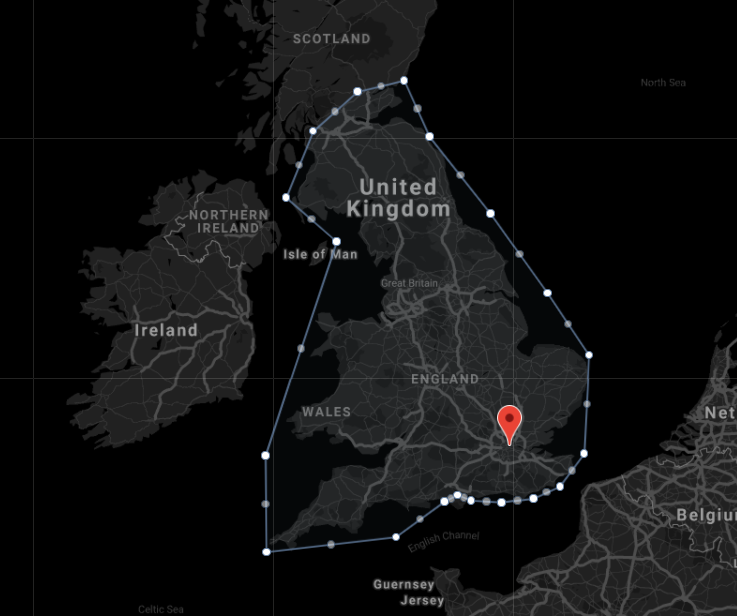
Step 1 – Request a Nationwide Store
- Contact your Account Manager or email Slerp Support at support@slerp.com.
- Ask for a Nationwide Store to be created on your SlerpSpace.
- We’ll confirm once the store is live and visible in your Slerp Controls.
Step 2 – Agree your coverage and exclusions
When your Nationwide Store is created, your Account Manager or the Support team will discuss:
- Coverage:
The default is UK‑wide. We can exclude areas if needed (for example, postcodes already covered by another store, or locations your carrier cannot serve). - Overlap with existing stores:
We’ll help you avoid charging customers twice for delivery or showing confusing options. - Courier partner:
- If you already have a 3PL (third‑party logistics), you can continue using them.
- If you don’t, we can introduce you to partners such as:
- RUSH (nationwide shipping)
- Prestige (M25 area)
- Delivery fee:
We’ll work with you to set a delivery fee on the Nationwide Store that covers (or partly covers) your courier’s charges.
For more information on what Slerp Courier Partners cover, see:
Step 3 – Set up your courier relationship
For nationwide orders, you own the relationship with the courier. That means:
- You negotiate rates (per parcel, per weight band, etc.).
- You agree collection times and cut‑off times for next‑day delivery.
- You confirm service levels (next‑day, 48‑hour, etc.).
Your courier will usually give you:
- A portal where you upload parcel details (often via CSV).
- Labels to print and attach to each box.
- Tracking information for your customers.
If you’re using Slerp Composer, it can generate CSV files tailored to your courier’s format and help you organise labels and production.
See also:
- National Shipping with any Carrier
- Optimising your Slerp delivery setup
Step 4 – Configure products and menus
In your SlerpSpace:
- Decide which products can be shipped nationwide (for example, ambient products vs chilled).
- Set any minimum order values, lead times, or cut‑off times needed to safely prepare and pack.
- Make sure your product descriptions clearly state:
- That the item is shipped nationwide.
- Any storage instructions on arrival.
- Any days you don’t ship (e.g. no Sunday dispatch).
Step 5 – Operate day‑to‑day
On a shipping day:
- Use your Slerp Controls to view pre‑orders with tomorrow’s fulfilment date (or the date you plan to ship).
- Prepare and pack the orders.
- Print and attach labels (see the “Labeling your orders” article).
- Export the CSV from Slerp or Composer (if used) and upload it to your courier.
- Hand parcels to your courier at the agreed collection time.
💡 Tips
- Set clear expectations on your website and confirmation emails: delivery timeframes, shipping days, and any restrictions.
- Test the flow with a few internal orders first to check packaging, labelling, and courier hand‑off.
- Monitor costs regularly and adjust your delivery fee if your courier rates change.